# PBX, Comment changer la langue d'un telephone.

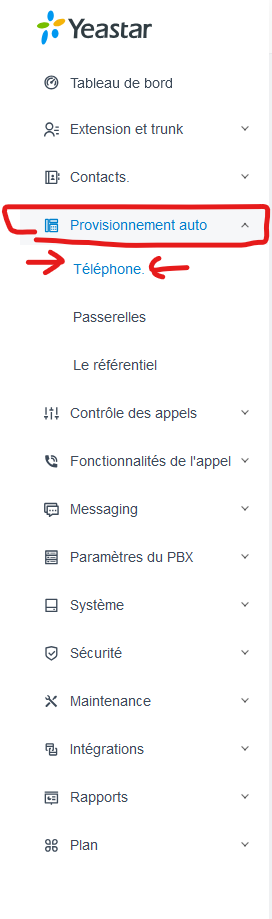
##### <span style="color: rgb(0, 0, 0);">Aller dans "<span style="text-decoration: underline;">**Provisionnement auto**</span>" ensuite aller dans "<span style="text-decoration: underline;">**Téléphone**</span>".</span>


[![image.png](http://aide.alliancetelecom.ca/uploads/images/gallery/2024-08/scaled-1680-/xYOimage.png)](http://aide.alliancetelecom.ca/uploads/images/gallery/2024-08/xYOimage.png)

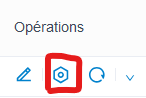
##### Aller dans l'engrenage du téléphone à modifier

[![image.png](http://aide.alliancetelecom.ca/uploads/images/gallery/2024-08/scaled-1680-/BQ7image.png)](http://aide.alliancetelecom.ca/uploads/images/gallery/2024-08/BQ7image.png)
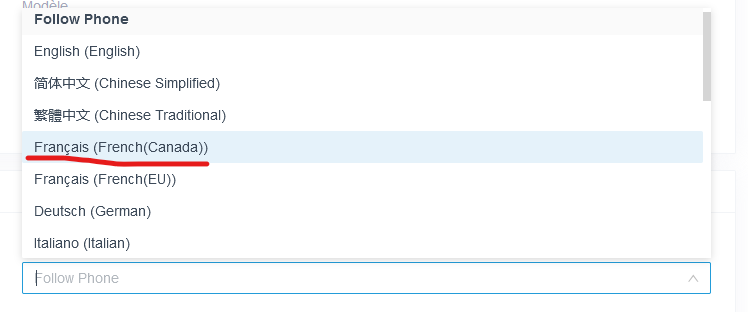
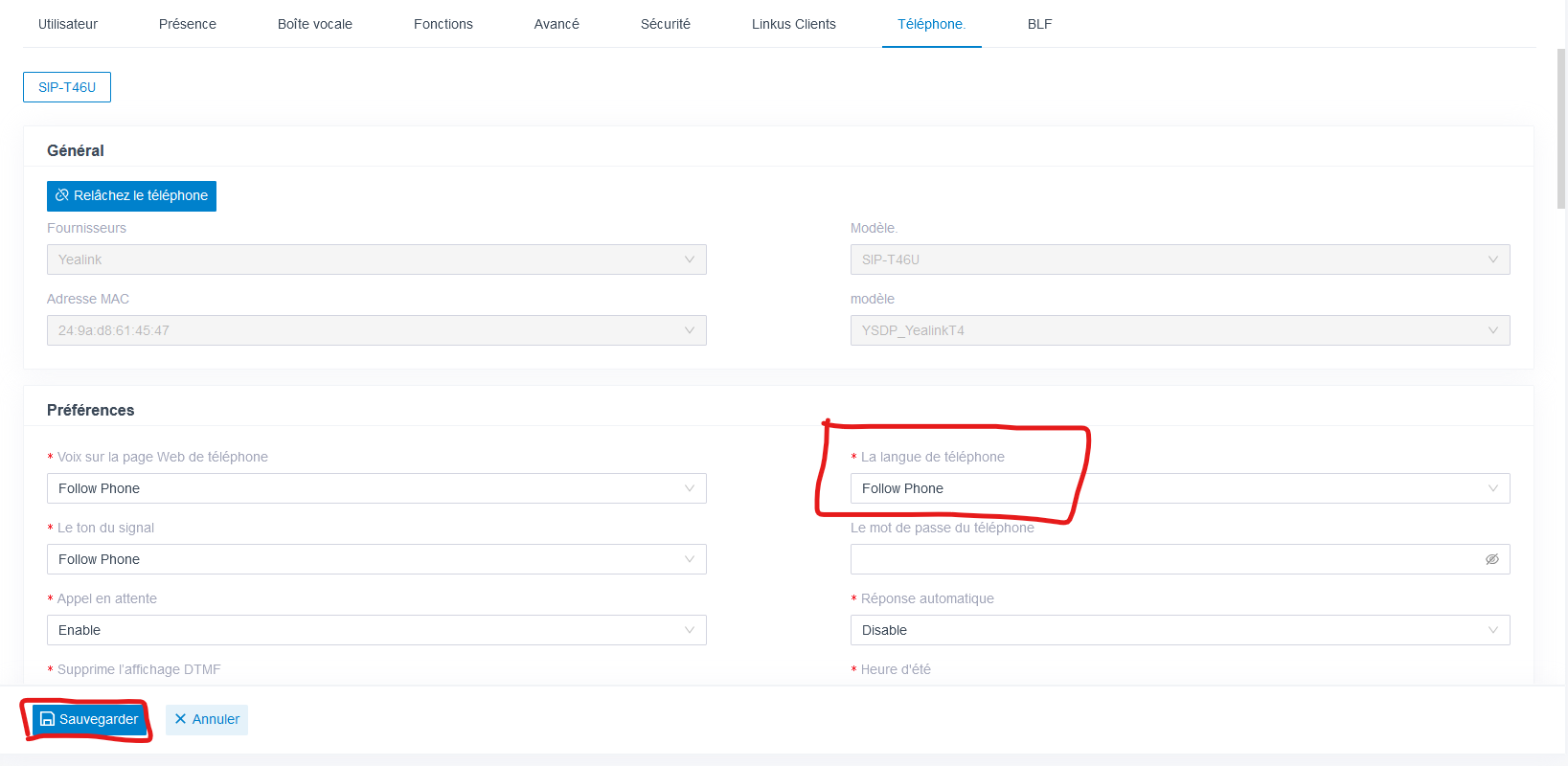
##### Dans la case "<span style="text-decoration: underline;">**La langue de téléphone**</span>", changer "<span style="text-decoration: underline;">**Follow Phone**</span>" pour le français canada et pour finir, appuyer sur **sauvegarder**.

[![image.png](http://aide.alliancetelecom.ca/uploads/images/gallery/2024-08/scaled-1680-/3sYimage.png)](http://aide.alliancetelecom.ca/uploads/images/gallery/2024-08/3sYimage.png)
[![image.png](http://aide.alliancetelecom.ca/uploads/images/gallery/2024-08/scaled-1680-/bQuimage.png)](http://aide.alliancetelecom.ca/uploads/images/gallery/2024-08/bQuimage.png)